Opitios AI is a powerful platform designed for intraday options traders. It helps you spot high-potential trades, execute them quickly, and manage risk with both manual and automated strategies. Follow this guide to set up your account, connect your broker, and start trading.
1. Register and Choose Your Membership Plan
-
- Go to the official website: opitios.com.
-
- Review the available membership packages.
-
- Plans differ by features and duration.
-
- Annual Platinum Membership is required if you want to connect your brokerage account via API.
-
- Review the available membership packages.
-
- Click “Choose the Plan” under your preferred package.
-
- Complete the payment process.
-
- After payment, our support team will contact you to help set up your trading account.
2. Access the Trading Dashboard
Visit trading.opitios.com and log in with your account.
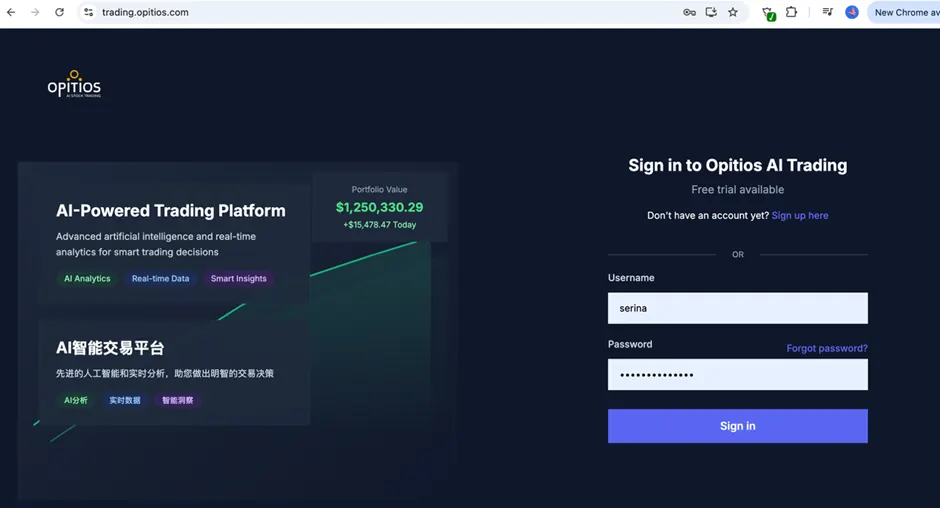
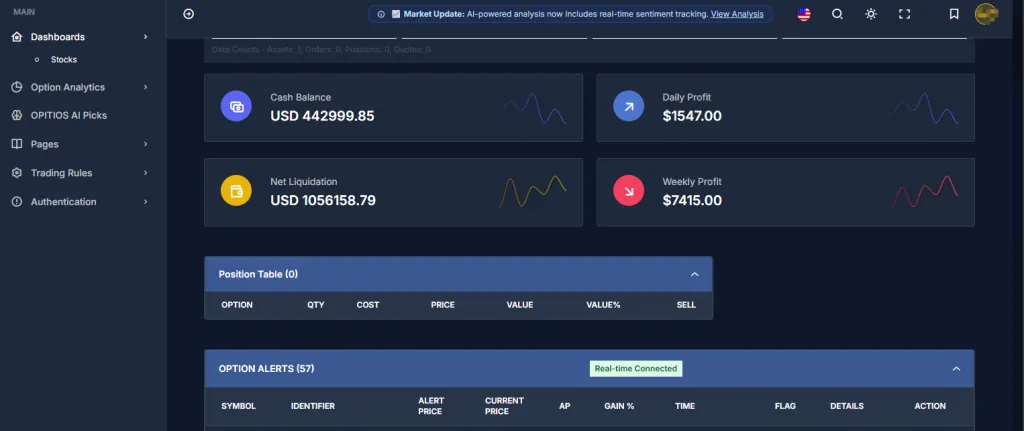
The dashboard is clean and easy to navigate. Key sections include:
-
- Account Overview
Here you can view your current account balance, today’s profits and losses, as well as your total weekly P&L, allowing you to keep track of your account performance at any time.
- Account Overview
-
- Positions Table
This section shows all your open positions, including real-time profit and loss for each trade, as well as take profit and stop loss status.
- Positions Table
-
- Option Alerts
This area lists high-potential intraday trading alerts automatically filtered by the quantitative model, including actionable buy recommendations and dynamic monitoring alerts.
- Option Alerts
-
- Filled Orders Information
At the bottom, you’ll find the complete record of today’s trades, making it easy to review and analyse your operations or track your entry and exit performance.
- Filled Orders Information
3. Select Your Trading Mode
You can trade in two ways:
Automated Trading
Once you enable automated trading, your brokerage account is linked to the platform via API. The system will automatically identify strong signals and execute the strategy. The default setup is:
Available for API-connected accounts (Annual Platinum members only).
-
- Default rules:
-
- Minimum balance: $5,000
-
- Auto-buy/sell on AI trading singnal
-
- X% take profit / X% stop loss (under development)
-
- Default rules:
-
- When automation is active, manual trades in the same account are disabled to keep performance consistent.
Manual Trading
For other high-quality signals beyond the default AI setup, the system offers one-click order execution. No need to switch to your broker’s interface—you can place trades instantly from the dashboard, greatly improving transaction speed, especially in volatile markets where efficient execution can boost your chance to lock in profits.
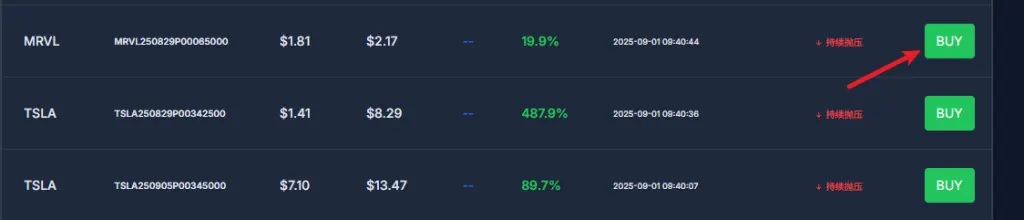
Once you place an order through the dashboard by using the ‘BUY’ button, the trade will automatically appear in your positions section. The system continues to monitor price changes and will auto-execute your pre-set take profit or stop loss. All you need to do is pick the right asset at the right time—risk control and automated selling is all handled for you!
-
- Works with all accounts.(Platinum members only).
-
- For each signal, click “BUY” directly from the dashboard.
-
- The position appears in your table and will follow your preset stop-loss and take-profit rules.
-
- This mode gives you speed without leaving the platform.
4. Connect Your Brokerage Account (Platinum Members Only)
Noted that API connectivity is available exclusively for Annual Platinum Members. Once your payment is done, our team will be assisting with setting up your brokerage account with the OPITIOS AI trading platform.
Currently, the OPITIOS AI trading platform supports API integration exclusively with Tiger Brokers (excluding the U.S. TradeUP version) and Alpaca. API connectivity for other brokerages is not yet available.
To connect with Tiger Brokers:
-
- Fill out the application form here: Tiger API Setup Form.
-
- Our team will guide you through the setup.
To connect with Alpaca:
-
- Register at Alpaca Markets.
-
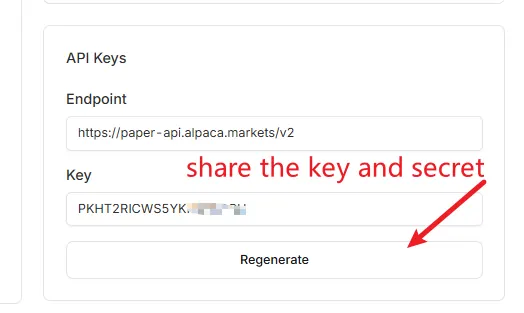
- Open your account and generate API keys.
-
- Send your API details to our team via Discord for integration.
5. Explore Advanced Features
-
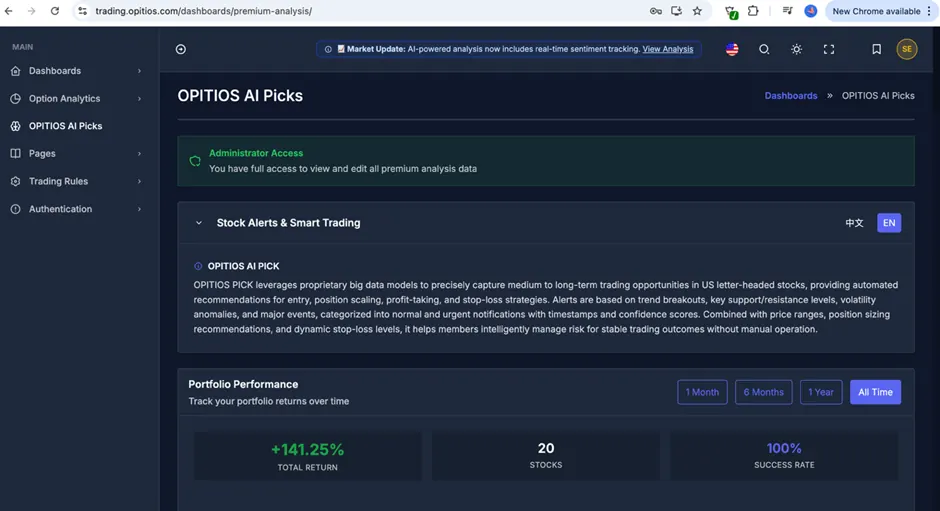
- OPITIOS AI Pick – OPITIOS PICK utilizes advanced proprietary big data models to identify medium- to long-term trading opportunities in leading U.S. equities. The service delivers fully automated recommendations covering entry timing, position scaling, profit targets, and stop-loss strategies tailored to each market condition. Each alert is generated from in-depth analysis of trend breakouts, critical support and resistance levels, volatility shifts, and major market events.
Alerts include recommended price ranges, optimal position sizing, and dynamically adjusted stop-loss guidance, empowering members to manage risk intelligently and achieve consistent trading results. The entire process is automated, enabling members to benefit from a disciplined strategy without the need for manual intervention.
- OPITIOS AI Pick – OPITIOS PICK utilizes advanced proprietary big data models to identify medium- to long-term trading opportunities in leading U.S. equities. The service delivers fully automated recommendations covering entry timing, position scaling, profit targets, and stop-loss strategies tailored to each market condition. Each alert is generated from in-depth analysis of trend breakouts, critical support and resistance levels, volatility shifts, and major market events.
-
- Option Analytics – Real-time options trading data—including daily movers, bullish/bearish
sentiment, and market trends—helping you understand market movements at a
glance. 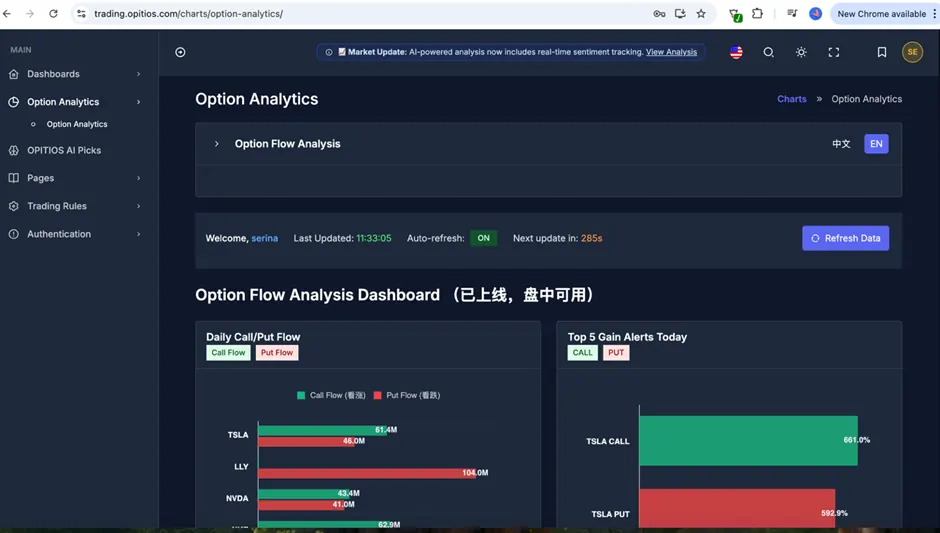
- Option Analytics – Real-time options trading data—including daily movers, bullish/bearish
-
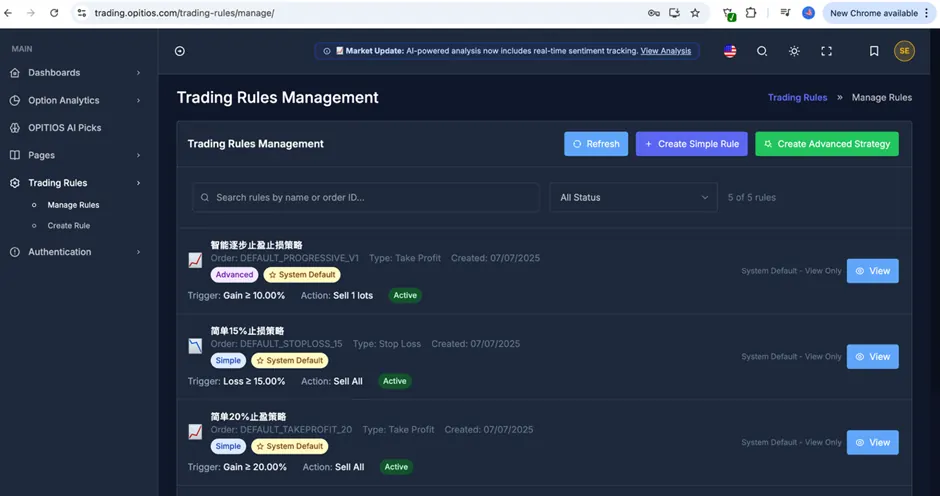
- Trading Rules Module – (Under development)you can further customize your automated trading strategies: adjust take profit/stop loss levels and even set up complex quantitative rules to match your trading style. We’ll continue investing in R&D to bring even more customization options soon, s
6. Get Support
-
- Discord: Join our community
-
- Email: [email protected]
-
- Customer support rep Serina is available for setup and trading questions.
7. Start Trading
-
- Log in at trading.opitios.com.
-
- Choose your trading mode (manual or automated).
-
- Follow AI-generated alerts to place trades.
-
- Review your trades in the dashboard and let the system handle risk controls.
With Opitios AI, you can trade smarter, faster, and with better discipline—whether you prefer hands-on execution or fully automated strategies.